



Annual
A$89.99a year
Billed yearly. Eligible new subscribers start with a 7-day free trial.
Get the appGuided weight training, two or three sessions a week, at home or in a gym. A lighter day still counts.

Free to download. Subscription needed after setup: A$89.99 a year or A$19.99 a month.
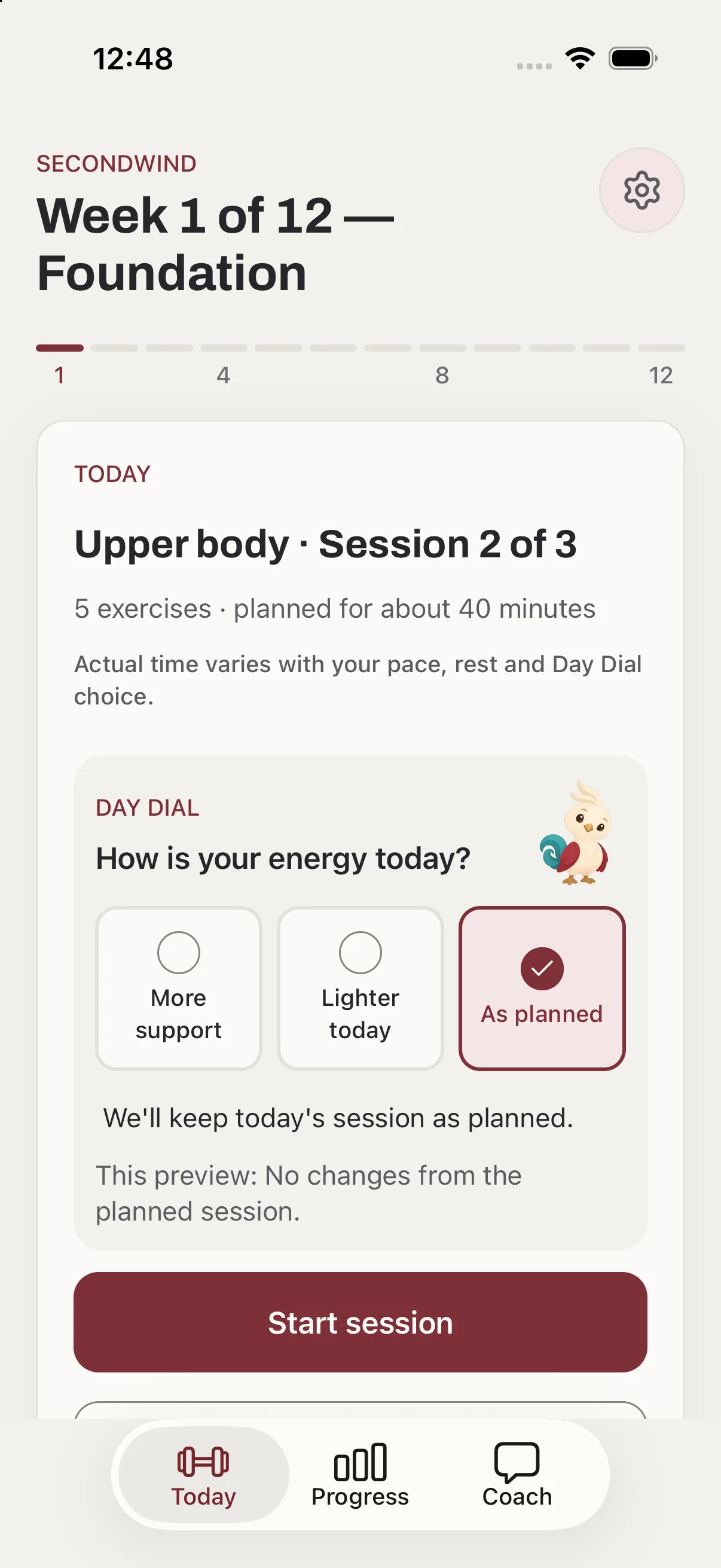
Twelve weeks at a time, two or three sessions a week. Choose a lighter day when you need it, and when a block ends the next one starts from the weights you're lifting now.
Three phases of four weeks: Foundation, Build and Strong. The bars fill as the block goes.
Choose two or three sessions a week, at home with dumbbells or in a gym. A six-question pre-exercise screen comes first, and setup pauses if an answer calls for advice from your GP or an allied health professional. Then you see twelve weeks in three phases: Foundation, Build and Strong.
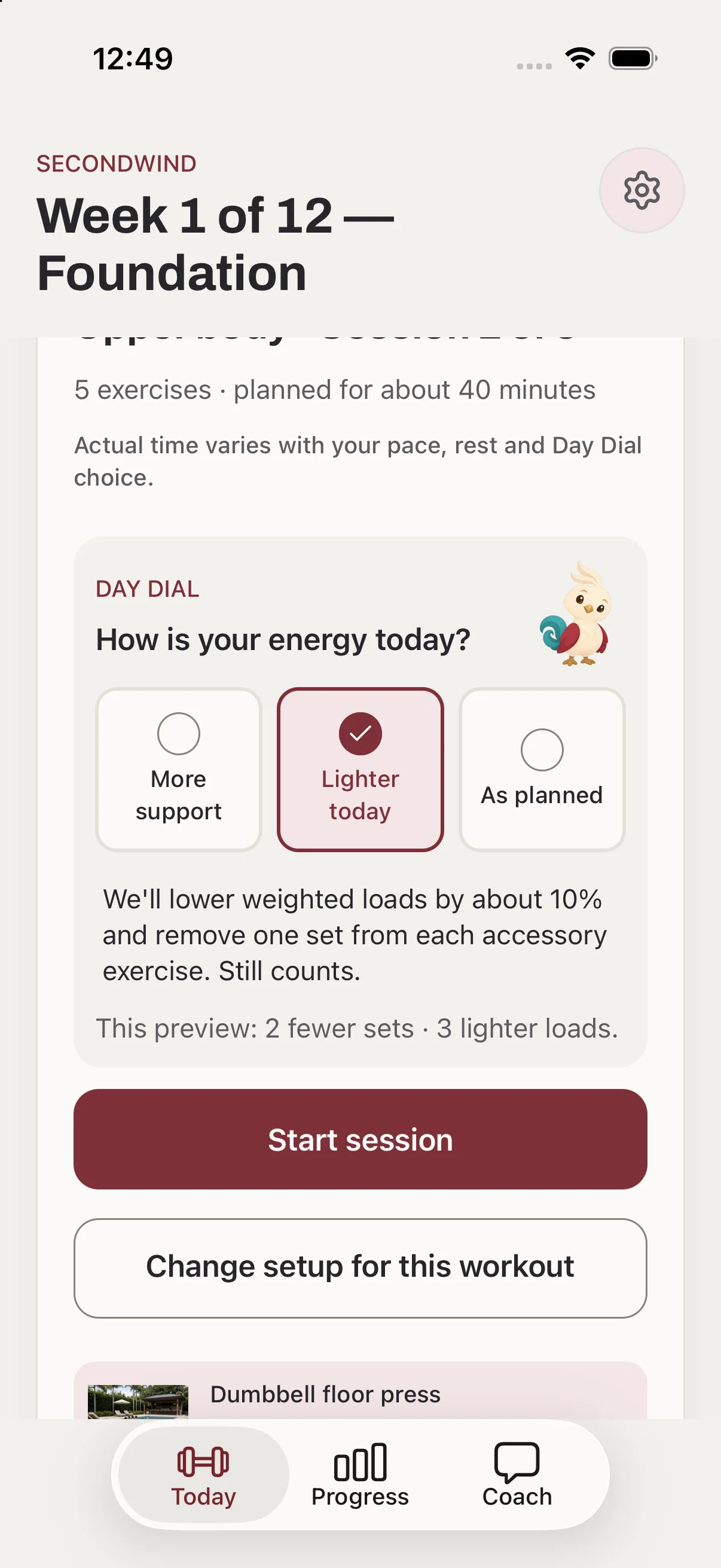
Before every session, the Day Dial asks how your energy is: More support, Lighter today or As planned. Loads, sets and rest change to suit the day, and the session still counts.
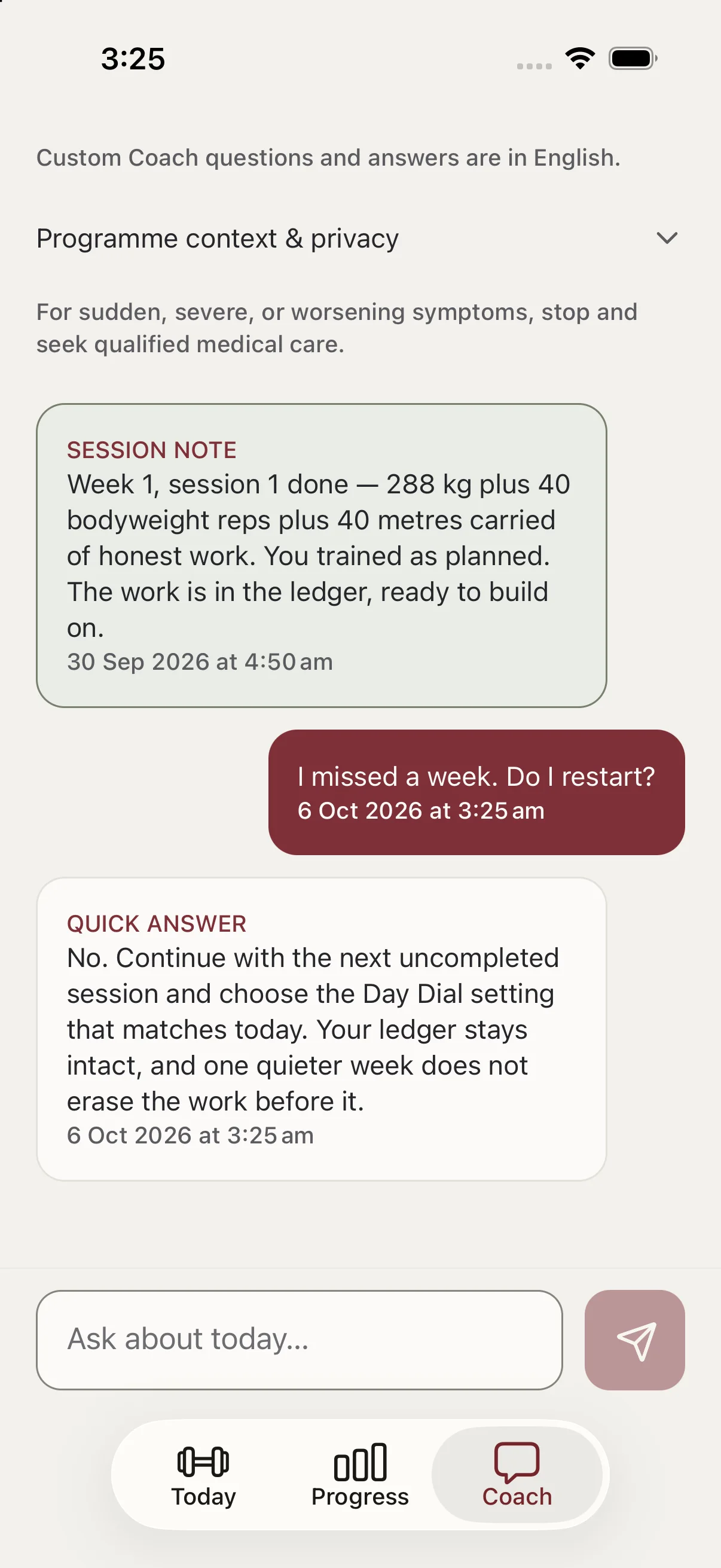
Quick answers to the questions that come up, such as what to do after a missed week. Six built-in answers work offline. Custom questions need Sign in with Apple, a connection and your consent. Coach is automated and is not medical advice.
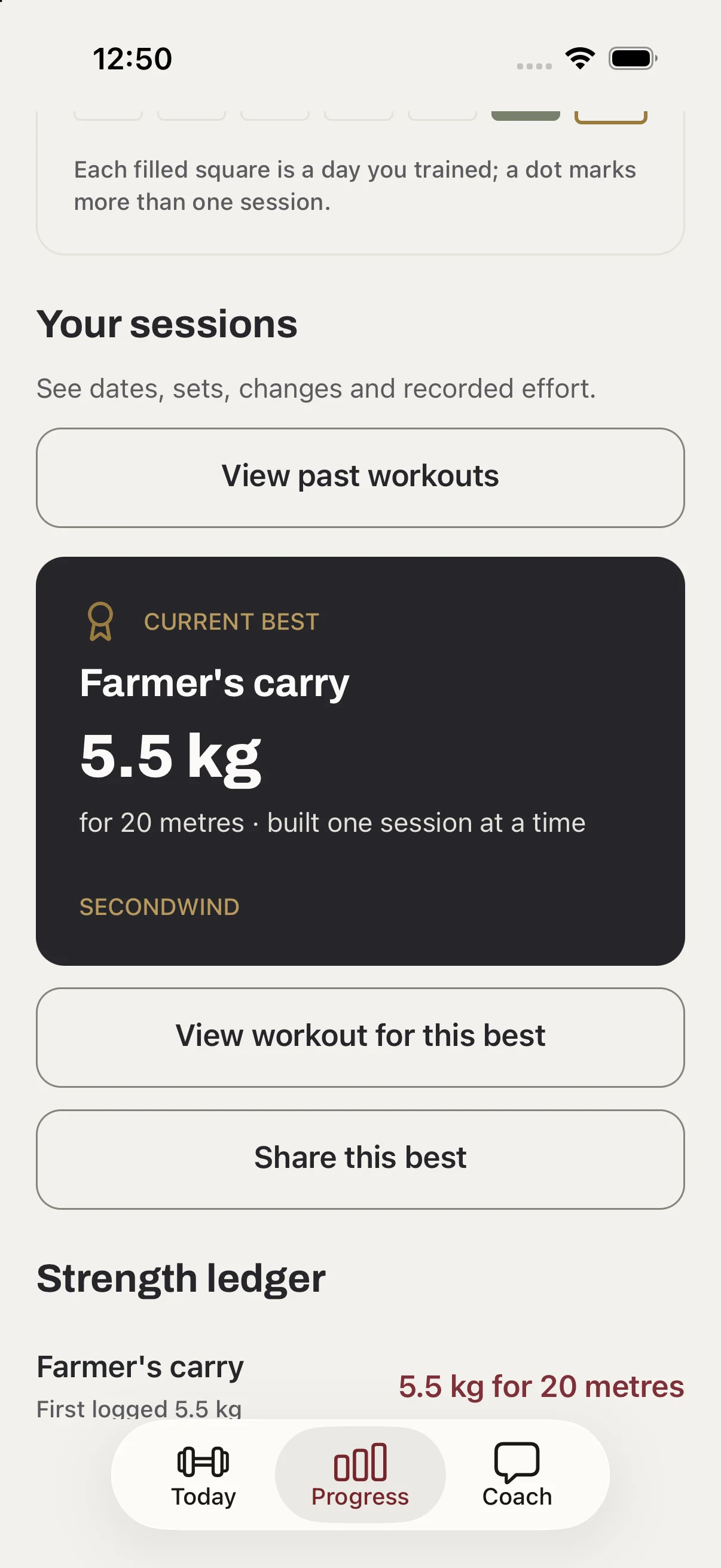
The strength ledger sets the first weight you logged beside your best. Two sessions make a week on track, and missing a day never erases one. When a block ends, the next one starts from the weights you're lifting now.
Before every session, the Day Dial asks how your energy is. Choose what fits today; your 12-week plan stays on track. Try it on a sample session.
We'll lower weighted loads by about 20%, remove one set from each accessory exercise and add 30 seconds to each rest. If you've flagged a joint need, we'll use a suitable swap where available. Still counts.
This preview: 2 fewer sets · 3 lighter loads · 5 longer rests.
We'll lower weighted loads by about 10% and remove one set from each accessory exercise. Still counts.
This preview: 2 fewer sets · 3 lighter loads.
We'll keep today's session as planned.
This preview: No changes from the planned session.
Upper body · Session 2 of 3
Week 1 · Foundation · 5 exercises
Help on hand, one set at a time.
Each exercise has a video demonstration with pause and full screen, so you can check the movement before you start.
Written form cues for each exercise, and a rest timer between sets.
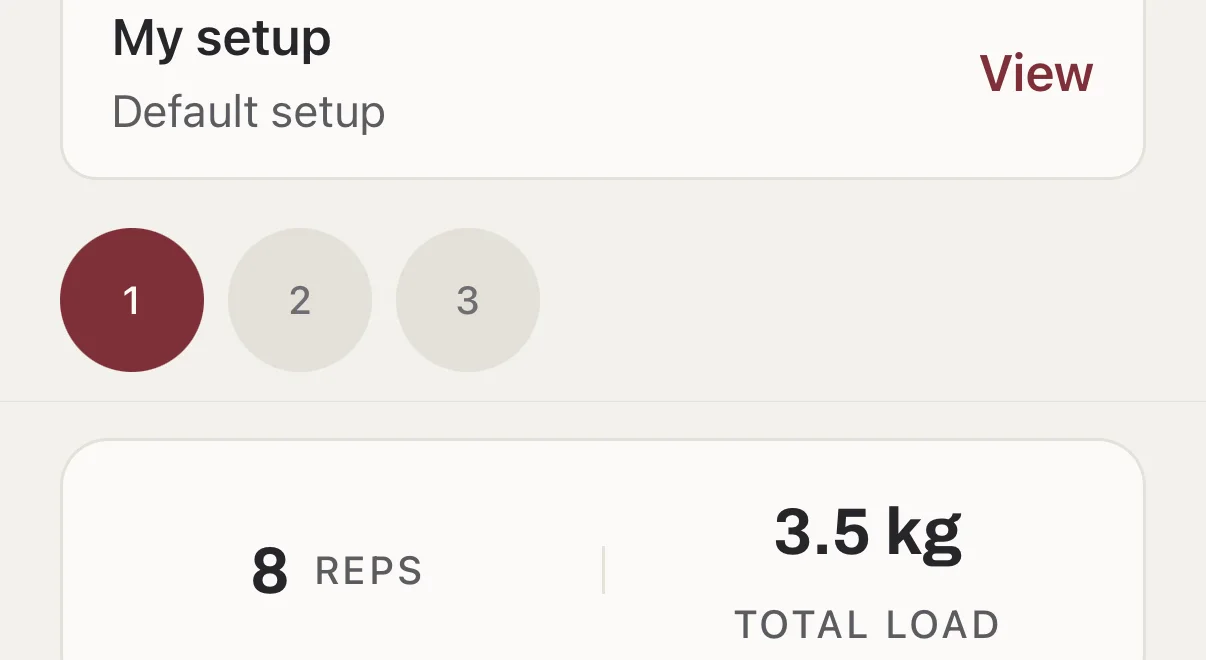
After each exercise, log the sets you completed and how the effort felt. Future targets are adjusted from that, and the app shows you why a target changed.
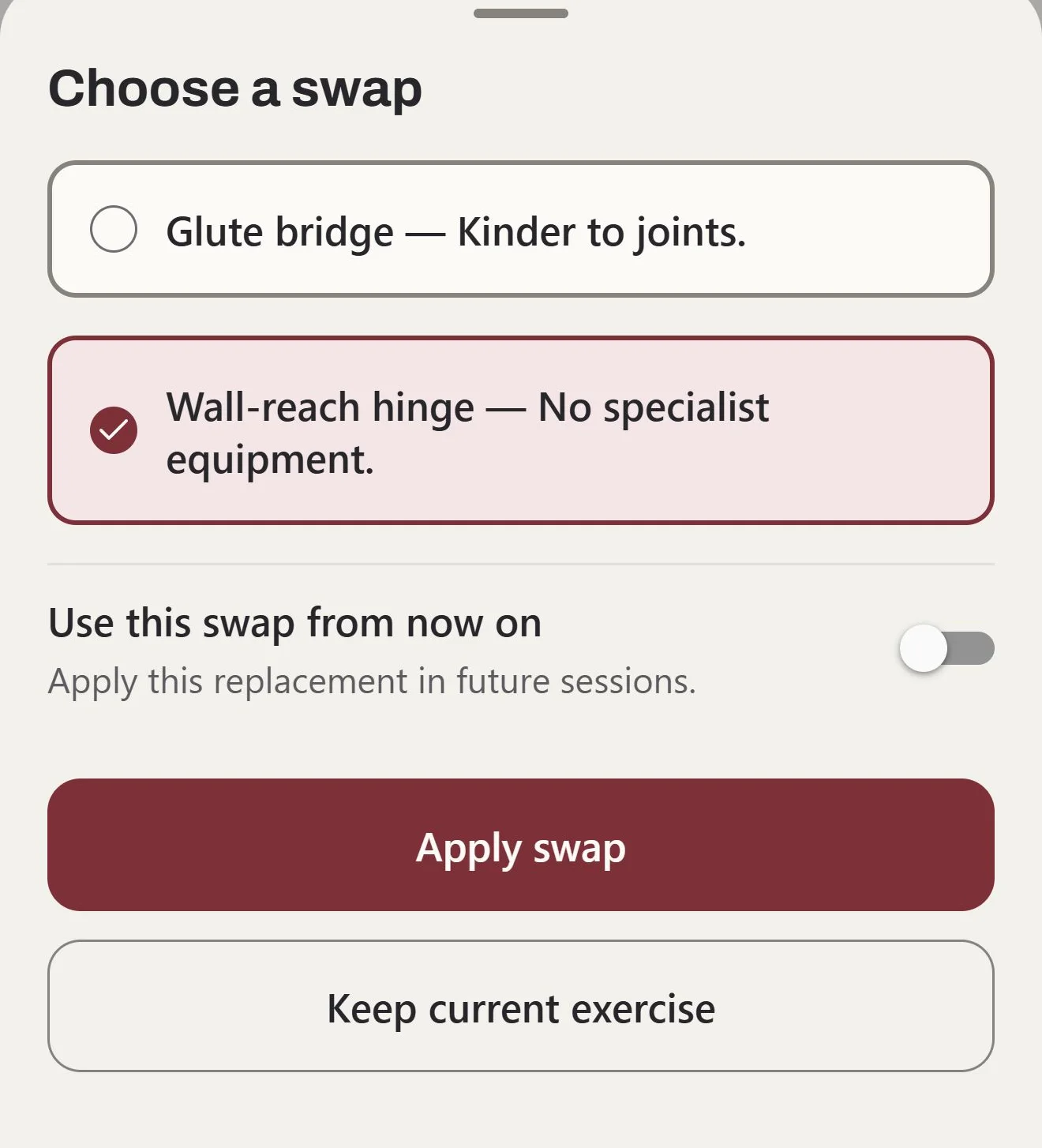
Pick from the programme’s alternatives. Each says why it may suit, such as “Kinder to joints”. Apply it today, or keep it for future sessions.
Optional recorded audio guidance talks you through each exercise, in English.
Save completed workouts to Apple Health if you like. Coach can also help you find a physio, exercise physiologist or personal trainer nearby in Apple Maps.

Twelve more weeks, starting from the weights you're lifting now, with your history kept.
Free to download and set up. Setup and the pre-exercise screen come first; a subscription is needed after that. Prices in Australian dollars.
A$89.99a year
Billed yearly. Eligible new subscribers start with a 7-day free trial.
Get the appA$19.99a month
Billed monthly. No free trial.
Get the appSubscriptions renew automatically unless cancelled through Apple. Manage or restore from Settings in the app; deleting the app does not cancel. Outside Australia, prices show in your local App Store currency, and Apple confirms the trial and renewal price before you pay.

Many training apps count streaks, and a streak breaks the first week life gets in the way. Then the screen shows a zero, as if the work before it didn't happen.
In Secondwind nothing counts down. A lighter session still counts as a session. The ledger sets the first weight you logged beside your best since, and when a block ends, the next one starts from the weights you are lifting now.
The app asks before it assumes. The safety screen comes before any training. Coach asks for your consent before a custom question leaves your phone, and your programme and history are stored on the phone itself.
If something doesn't work the way this page says, or you have a question about your programme, write to me.
Josh Waller
Kovus, Perth · josh@kovus.dev
Choose home training with dumbbells or a gym programme during setup. The plan uses the equipment you select, and exercise swaps give you alternatives when a movement does not suit the day.
Week 1 is a starting point, not a maximum-strength test, so the first weights are conservative. The programme uses your completed sets and your Easy, Right or Too much feedback to adjust future targets.
Training is ongoing, in structured 12-week blocks. Finish a block and start the next one with your workout history and earned weights kept. An active subscription is required.
No. Secondwind is a general fitness and wellness app. Stop if pain or symptoms are sudden, severe, worsening or concerning, and seek qualified care. In an emergency, call 000 in Australia.
Sign in with Apple is required before buying or restoring a subscription and for custom Coach questions. Your programme and workout history are stored on your phone. The built-in Coach answers work offline; custom questions need a connection.
Optional recorded exercise guidance is in English only. Custom Coach replies follow the language you choose in the app.
In Settings, choose Manage subscription to open Apple's subscription management, or Restore purchases to recover an existing purchase. Subscriptions renew automatically unless cancelled through Apple. Deleting the app does not cancel a subscription.
Free to download on iPhone. Set up your programme first, then choose a plan when you're ready to train.